

MIMS Account (also Student iCON)
What is MIMS?
Your MIMS account lets you log in to many platforms, such as:
-
SLS
-
Google account
-
Online forms and surveys (such as the termly check in surveys)
What is Student iCON?
Student iCON is your school digital account that gives you access to useful learning tools. It includes apps like Google Classroom, Google Docs, Google Slides, your school email, and Microsoft apps like Word, Excel and PowerPoint.
Together, these tools provide students with a safe and structured digital environment for learning, communication, collaboration and productivity, and are used to complement teaching and learning in school.
How do I log in?
When you see this page, it means you need to log in using your MIMS account. You would have already learned how to sign in at school.
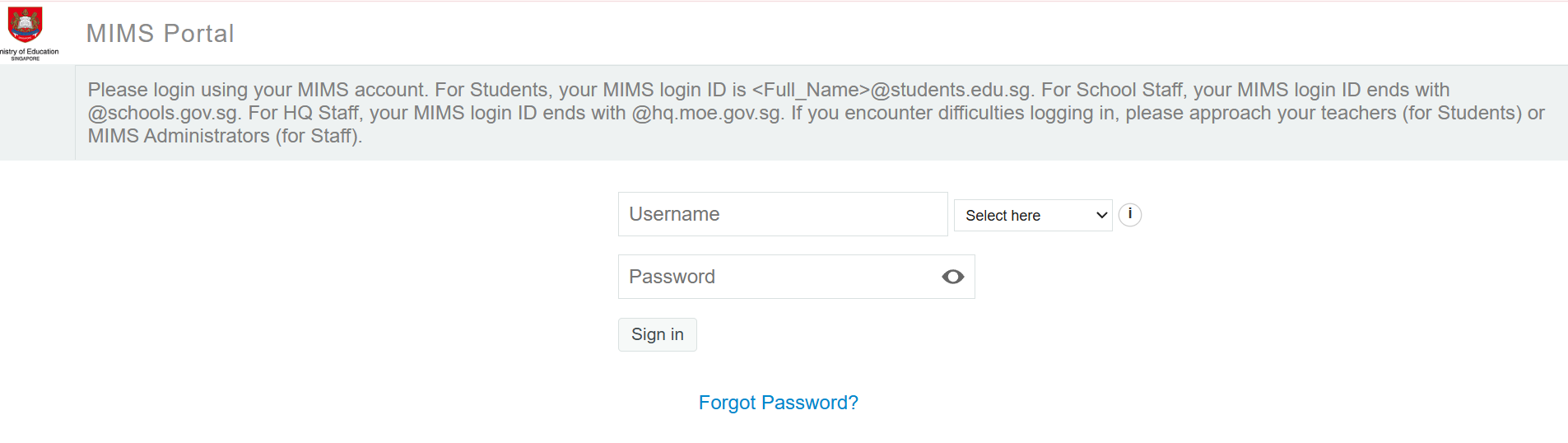
Username: This is your student iCON email address.
-
Student’s email address will be based on (Full Name)@students.edu.sg
-
Any space in the full name will be replaced with an underscore.
-
Should the student’s full name have words such as “Bte” and “s/o”, they will not appear in the email address.
-
For cases where students share the same full name, we have added a numerical number (e.g. Jon_Tan_1, Jon_Tan_2) to differentiate their email addresses.
Password: You have been given your password and have learned how to log in with it at school.
Account Management
-
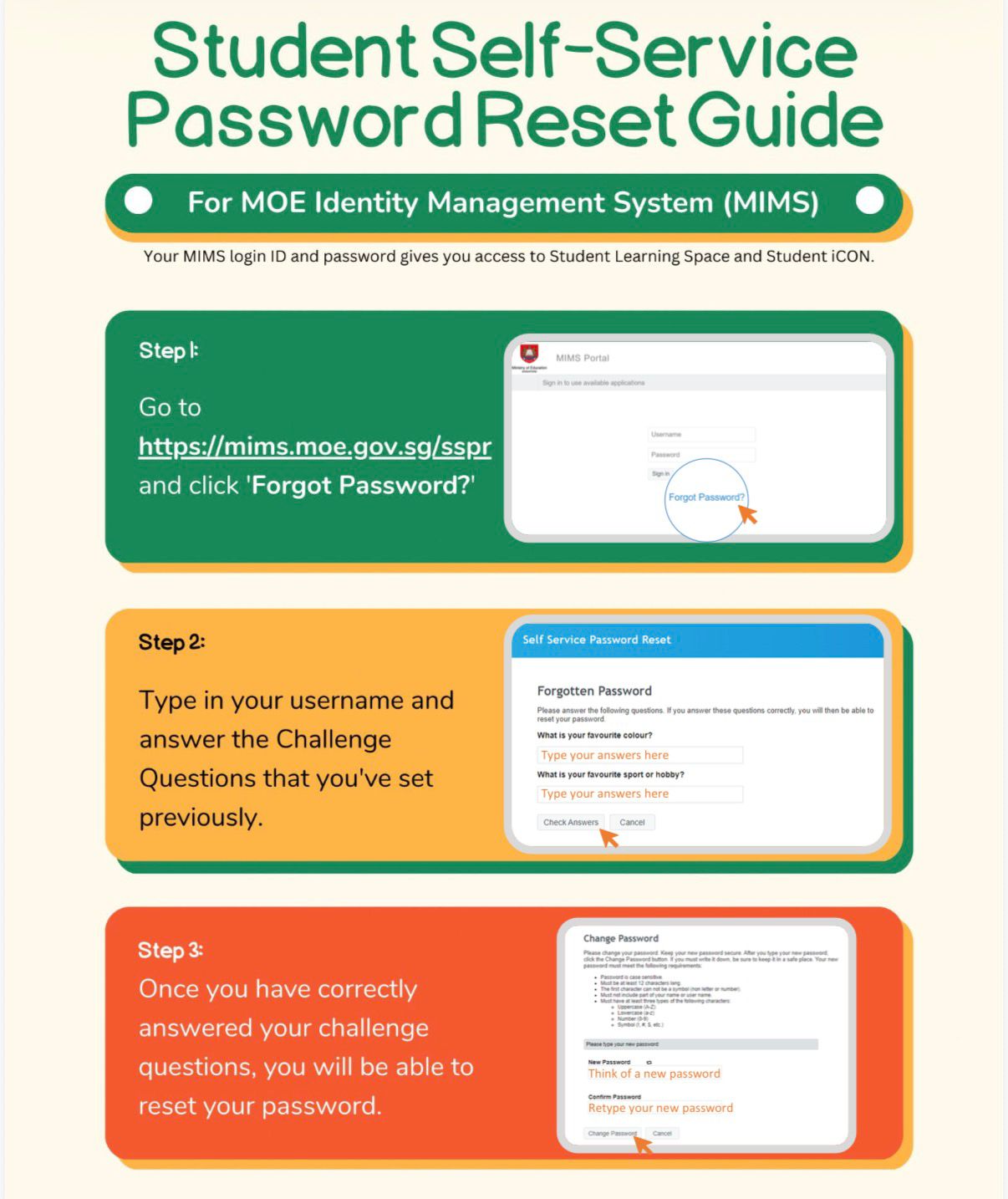
For P5 and P6 students, follow the steps below to reset your own password.
-
If you need help, please inform your teacher.